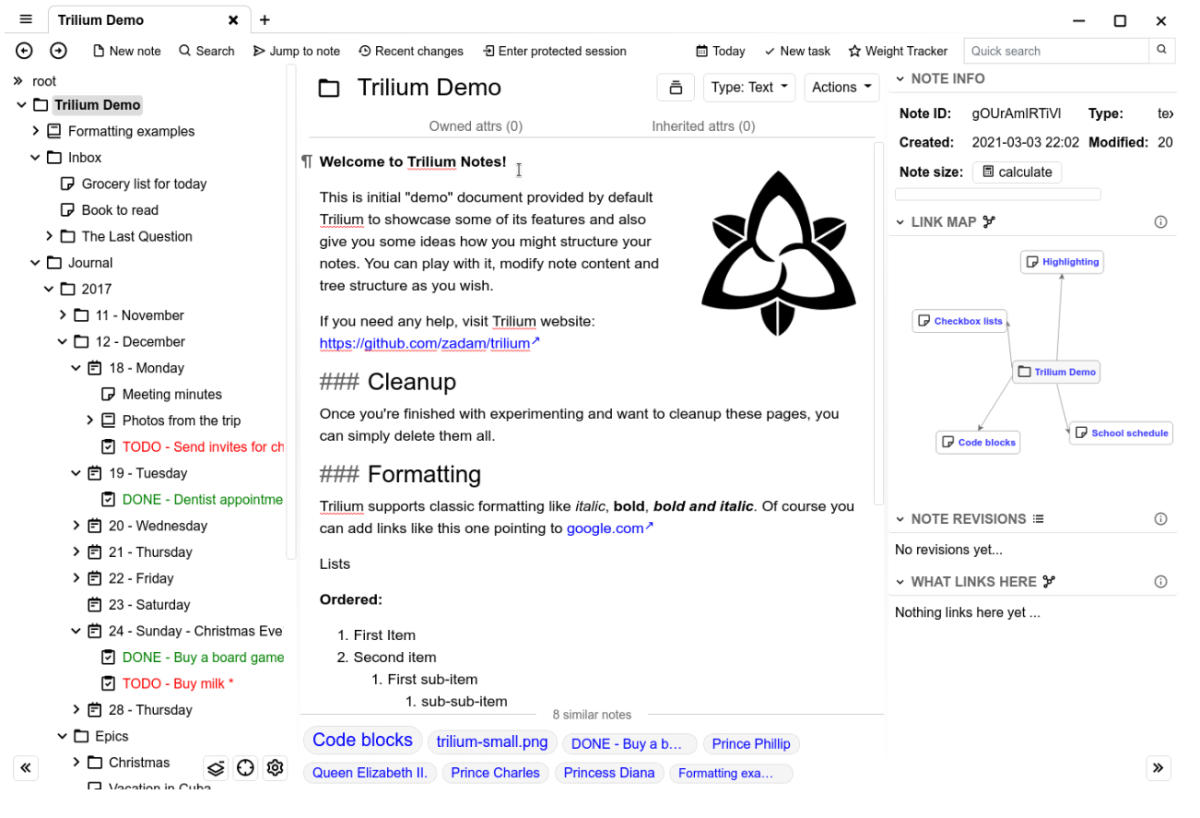
Since I usually need to deal with a large amount of content with a complex structure, and there are cross-reference relationships between various content sections, I have been looking for a content management tool that can not only meet my needs, but is also simple and easy to use. Note-taking services such as Evernote or OneNote seem to be the most common, but firstly, storing all private content on the servers of commercial companies always makes me feel insecure; secondly, these software are either not lightweight enough or charge extra for important functions, so I have never been very satisfied.
Two years ago, I came across a cross-platform software called Notion
. I was very satisfied with both its functions and interface, but its price was not cheap. After all, I am not a professional creator who relies on content, and I was not willing to pay monthly for a note-taking software. In addition, Notion still cannot achieve convenient multi-end synchronization while firmly controlling content data, which is also a big regret.
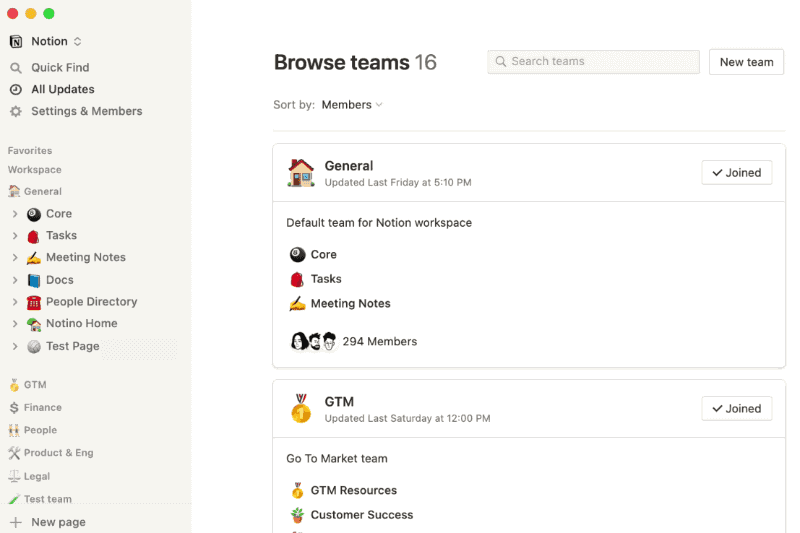 Until today, I accidentally learned about a GitHub open source project called Trilium
through the introduction of Minority article
, which almost perfectly meets all my needs. First of all, it is an open source project that supports self-built note servers, which allows me to achieve multi-end synchronization while firmly controlling the control of notes; secondly, its interface is simple and very lightweight, and you can even discard the client and fully realize web access; finally, it is completely free, which is very important.
Until today, I accidentally learned about a GitHub open source project called Trilium
through the introduction of Minority article
, which almost perfectly meets all my needs. First of all, it is an open source project that supports self-built note servers, which allows me to achieve multi-end synchronization while firmly controlling the control of notes; secondly, its interface is simple and very lightweight, and you can even discard the client and fully realize web access; finally, it is completely free, which is very important.
Since buying QNAP (https://www.qnap.com/zh-cn/ ) NAS, I have become more and more inclined to save all kinds of my data on the NAS, and then use various open source software to achieve multi-end synchronization. This not only ensures data security and personal privacy, but also allows you to conveniently manage your files and data. I think it is worth it to have complete control over personal data at a cost of several thousand yuan and a small electricity bill. Therefore, after realizing that Trilium provided open source server software, I immediately started setting up a local server.
Trilium’s official documentation provides specific methods for installing Trilium Server through Docker . However, since the document is in English and only provides the SSH command installation method, it may be difficult for some novices to read it. Therefore, this article will briefly describe the installation method of Trilium Server in a graphical manner.
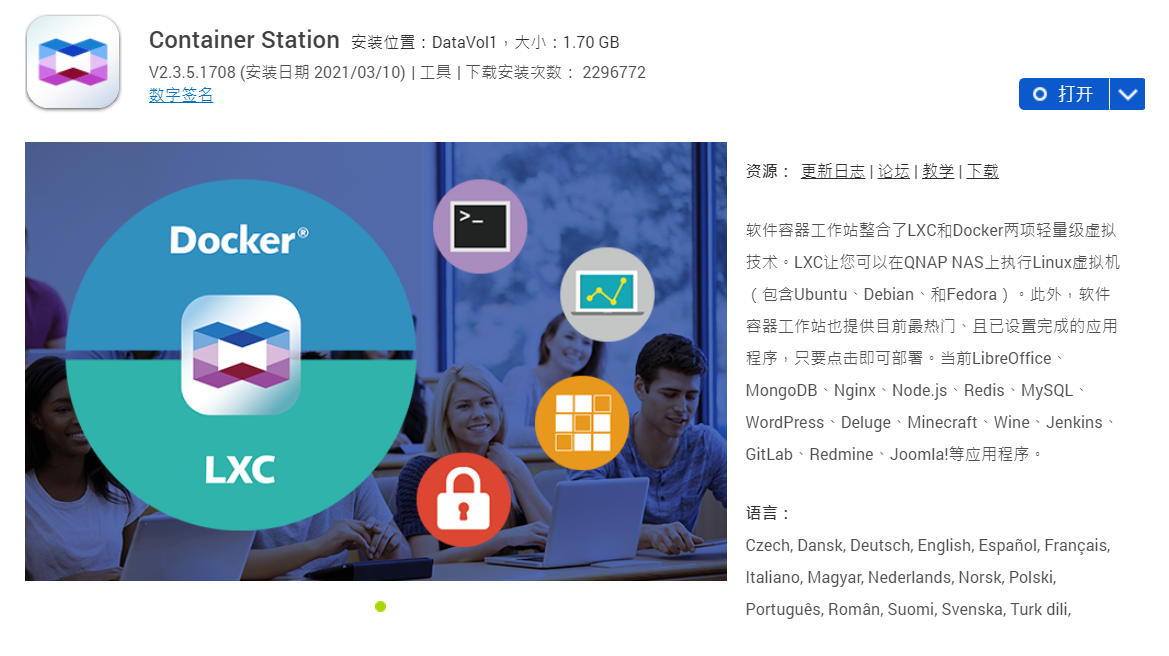
First, install the Docker suite (called Container Station in QNAP’s QTS) on your NAS and open it.
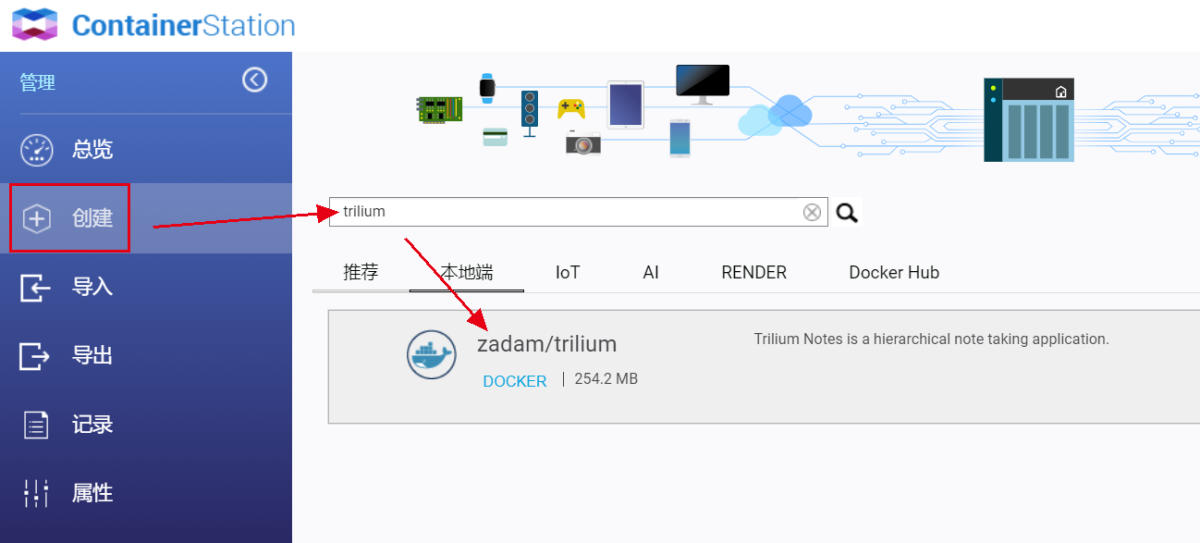
 Enter “Create” and search for Trilium in the search box, find zadam/trilium, and click “Install” on the right.
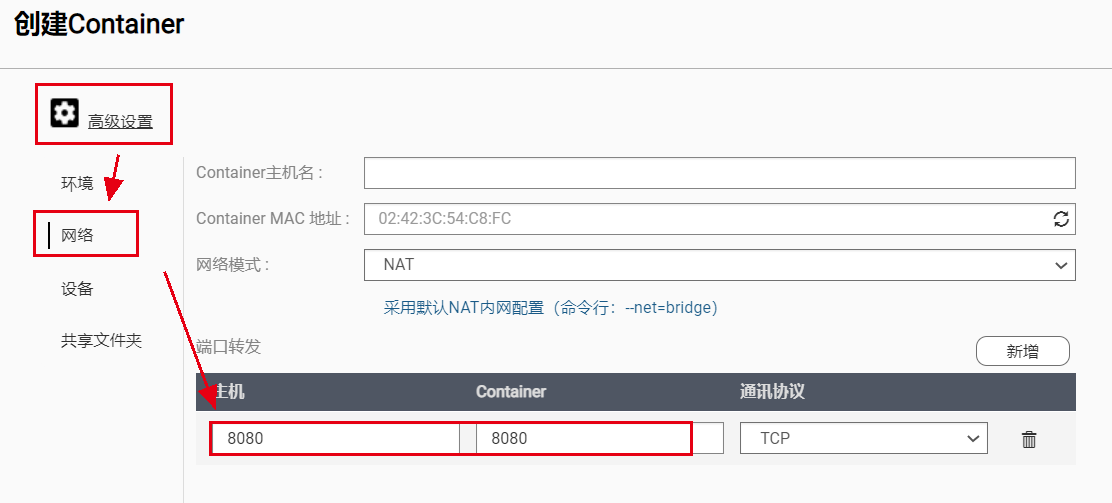
 In the pop-up creation window, click “Advanced Settings” and first set Trilium’s port forwarding in the “Network” tab. Trilium’s default web interface default port is 8080, so the Container’s port must be written as 8080, and the mapped host port can be filled in according to your own needs. For the convenience of memory, I prefer to have consistent settings for the internal and external ports, that is, the host port is also set to 8080, but if your NAS’s 8080 port is already occupied by other programs, please fill in other ports.
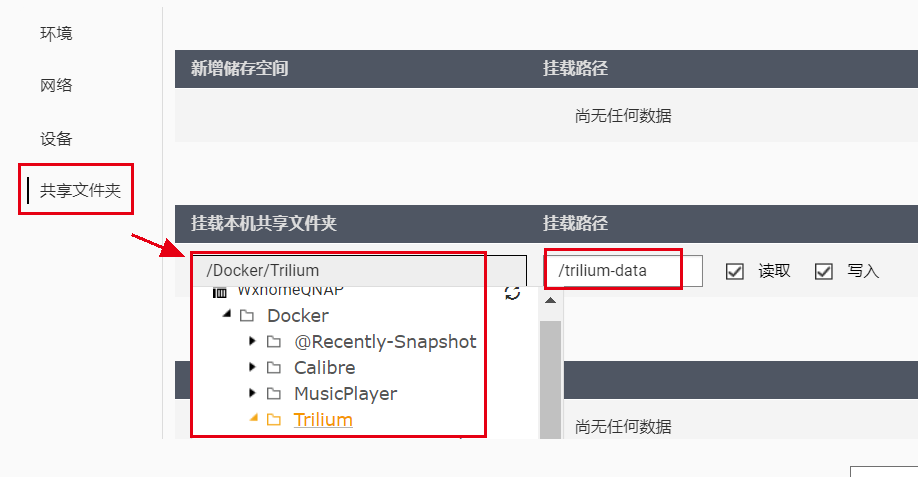
 Next, in the Shared Folders tab, mount a shared folder in the container to Trilium. The mounting path in the container must be written as /trilium-data, and the local shared folder can be selected according to your own needs. Note that the permissions for mounting the shared folder must be both read and write.
 After the above settings are completed, click the “Create” button, and the system will automatically download the image file and install the container according to your configuration. Once the container is installed, you can access Trilium’s web interface by entering the NAS IP/port in your browser. When using Trilium for the first time, you need to perform some simple initialization settings, such as creating a username and password. Although the interface is only in English, it is very simple and I won’t go into details here.
At this point, we have completed setting up our own note server. Regarding the specific usage of Trilium, you can explore or search by yourself. Generally speaking, the threshold for using this tool is not high. This article of mine is written in Trilium. Trilium supports Markdown syntax, so there is almost no barrier to use for me. In addition, Trilium’s web interface supports mobile layout. As long as DDNS and router port mapping are done, you can access your notes anywhere and anytime, whether using a computer or mobile phone.